Installation#
Sources#
The KKCalc2 package requires Python 3.11+, and is available from:
GitHub: xraysoftmat/kkcalc
Virtual Environment#
Once you have installed Python and added it to the path, we recommend adding a virtual environment to manage dependencies and avoid conflicts with other Python packages, before installing KKCalc2.
You can create a virtual environment using the following commands (replace myvenv with something useful):
# Alternatively use uv: `uv venv myvenv`
> python -m venv myvenv

# On Windows use `myvenv\Scripts\activate`
> source myvenv/bin/activate
(myvenv) > ... # indication of the environment
After install, this virtual environment can then be set in your IDE workflows, such as VSCode (see here). Simply point the current session to the virtual environment folder.
Installation & Dependency Groups#
Then install the package using pip (python-install-package via PyPI):
(myvenv) > pip install kkcalc2 # install regular project
# or
(myvenv) > pip install kkcalc2 --group gui # PEP735
Further details about pip usage can be found in the [PyPI installation tutorial](https://packaging.python.org/tutorials/installing-packages/).
Or alternatively, clone the source code using git:
(myenv) > git clone http://github.com/xraysoftmat/kkcalc # or your own fork/branch.
(myenv) > pip install ./kkcalc2/  # use -e for editable mode, recommended when changing code
Following PEP735, KKCalc2 also has dependency groups established. You may need to upgrade pip>=25.1 to use dependency groups. The following groups are available:
docs: Install Sphinx, numpydoc and other packages required for building the documentation.gui: Install graphic packages (PyQT, matplotlib, pandas).dev: Install all groups including additional packages for developement (including graphics, documentation and testing).
Current dependencies can be found in the repository [pyproject.toml](pyproject.toml) file.
Verify Install#
You can check the package is installed:
(myvenv) > python
>>> import kkcalc2
>>> print(kkcalc2.__version__)
1.0.0 # or whatever the latest version is
GUI Module#
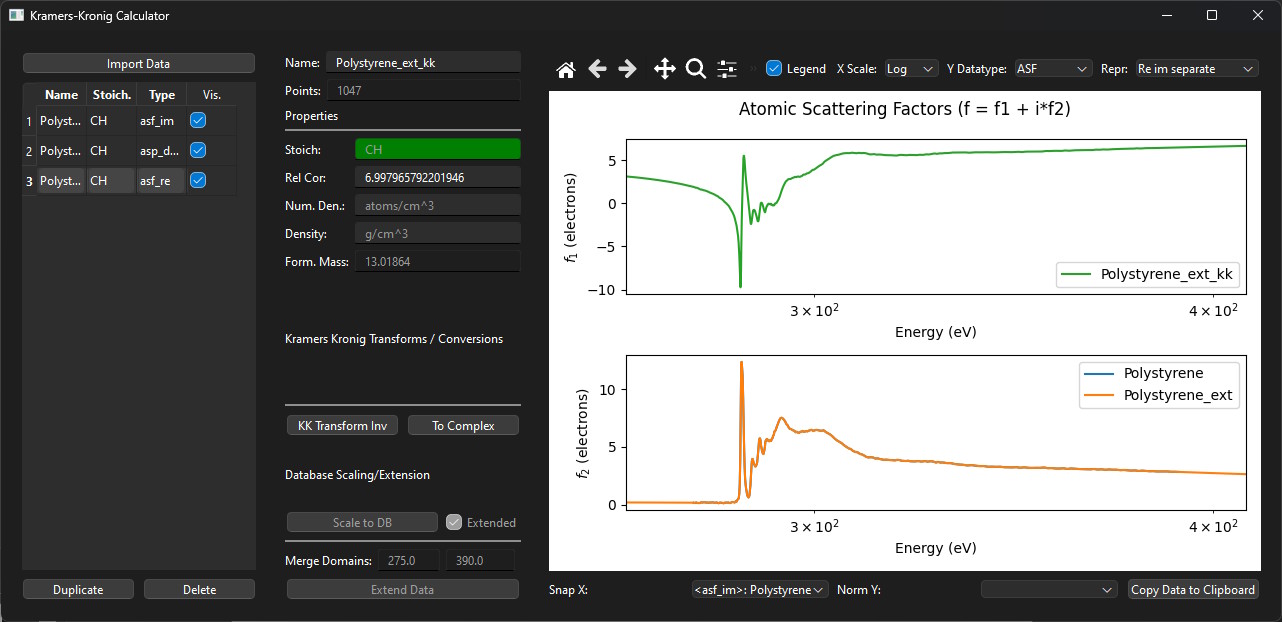
If you’ve installed the GUI dependency group, you can then run the module:
(myvenv) > python -m kkcalc2
The modularised GUI interface can be used without requiring the python API.
Virtual Environment Deactivation#
You can deactivate the virtual environment anytime.
(myvenv) > deactivate
> ...